
A GUIDE TO REQUEST A QUOTE ON OUR WEBSITE
STEP 1
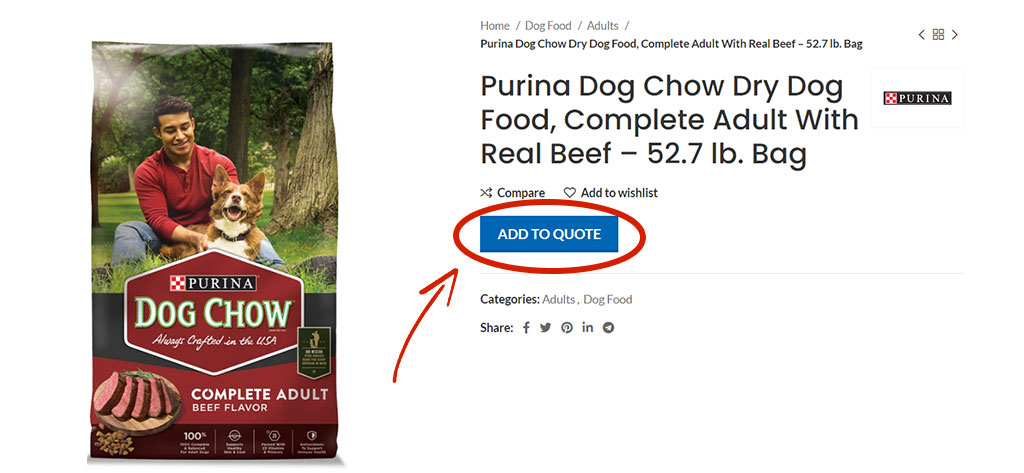
From the product page, you can select “Request a Quote” and add it to your quote list.

STEP 2
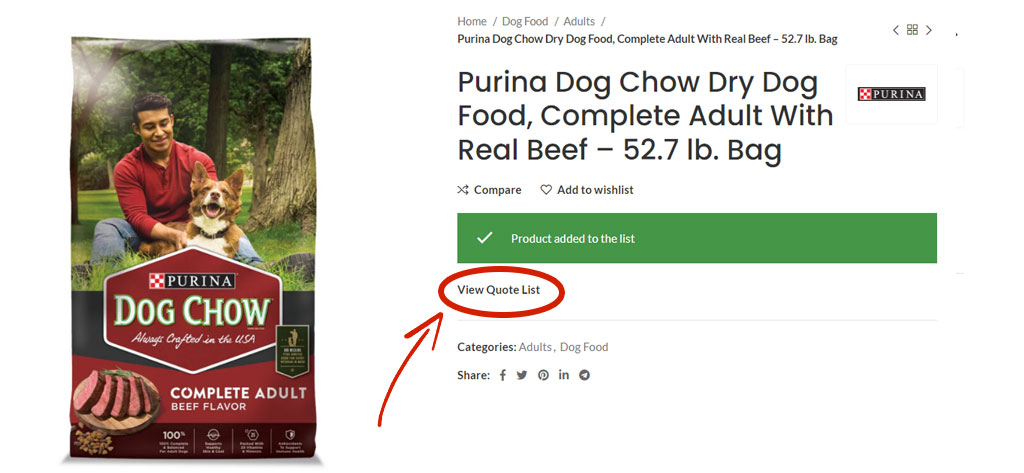
When added, your item will be moved to the quote list. You can click on the button “View Quote List” to view your items. OR you can select “View Quote List” from the top bar menu.
STEP 3
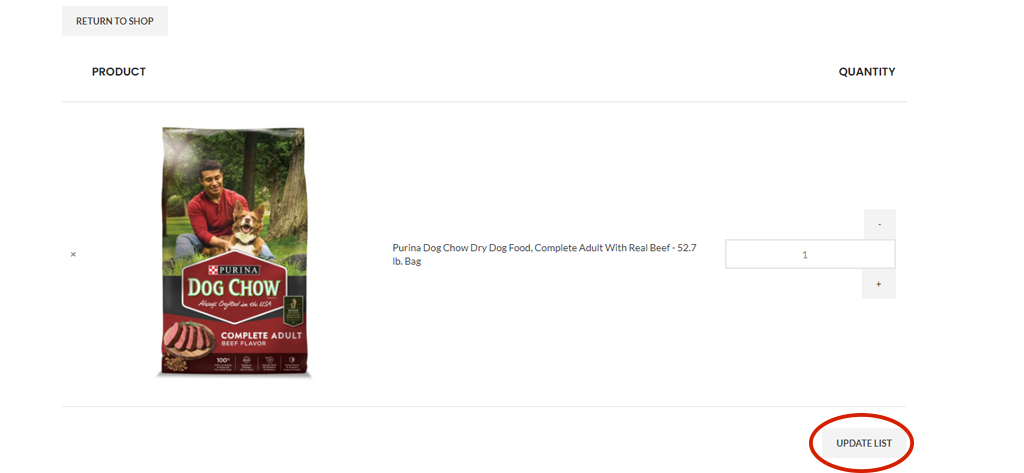
From this page, you can update the quantity of each item or remove items from your list.
FINAL STEP
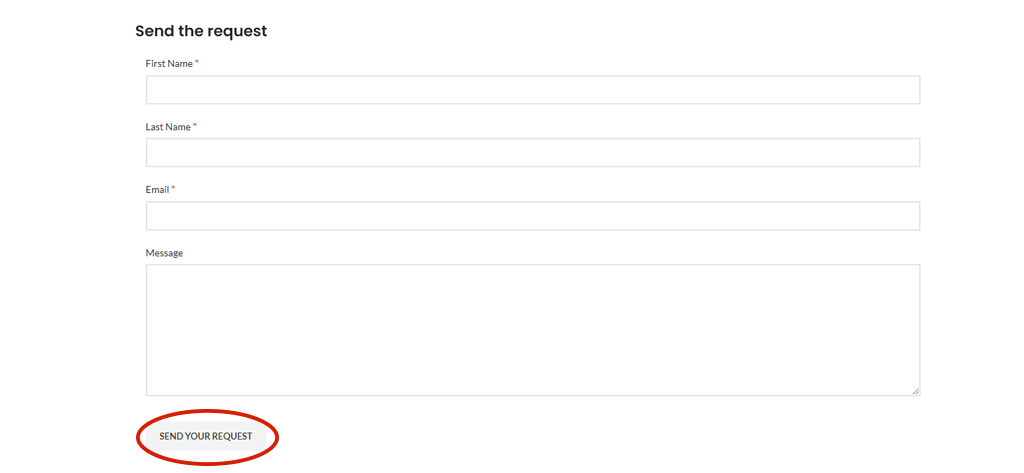
The last step to complete this process is to fill out a request form and select the “SEND YOUR REQUEST” button when the form is finished.
A representative will respond within two (2) days with your cost quotation of all the items requested.
Once you have confirmed your order, you will be guided to the payment center for processing.